 Business process automation: where to start" loading="lazy">
Business process automation: where to start
Introduction
Duplicate Excel files, approvals via email, manually copied data, reports rebuilt every month, and internal requests coming from five different channels. If this sounds familiar, you are not alone: many SMEs do not have a “lack of software” problem, but manual processes that have grown over time without real coordination.
Talking about business process automation means starting from here: understanding which activities waste time, which data needs to be connected, which steps must become traceable, and which tool to use among Power Apps, Power Automate, ERP software, custom software, or ICT integration.
Table of contents
- Introduction
- Why automate today
- Automation does not simply mean using software
- Practical examples of digitalization
- Signs that a process should be automated
- Which processes to automate first
- Power Apps, Power Automate, ERP software, or custom software?
- Mistakes to avoid
- Checklist before getting started
- Do you have a process that currently wastes your time?
- FAQ
- How Esobit can help you
Why automate today
Operational digitalization is no longer a topic reserved for large companies. According to Eurostat, in 2024 73% of European SMEs reached at least a basic level of digital intensity. The point, however, is not just using digital tools: it is making them work together.
Many companies already use Microsoft 365, Excel, ERP software, a CRM, shared folders, and perhaps some vertical software. The problem arises when each tool remains isolated and people have to act as a “human bridge” by copying data, forwarding emails, and manually checking every step.
The key point to keep in mind
Digitalizing business processes does not mean randomly adding more software. It means reducing manual activities, connecting data, making business workflows clearer, and giving people tools that simplify their work rather than adding yet another login to the collection.
Automation does not simply mean using software
The most common mistake is starting with the tool: “let’s build an app,” “let’s use Power Automate,” “let’s buy ERP software.” All of these ideas may be valid, but the real question comes first: which process do we need to improve?
Before choosing the technology, you need to understand who uses the process, what data comes in, what data goes out, where work gets stuck, who approves, who needs to receive notifications, and which steps are still manual.
If the process is confusing, automating it as it is only means making it confusing faster. That is not digital transformation: it is anxiety with a dashboard.
This is why automation can take different forms: an internal app with Microsoft Power Apps, a workflow with Microsoft Power Automate, ERP software, custom business software, or a software integration between existing systems.
Practical examples of digitalization
The best projects do not start with huge statements like “we need to digitalize the company.” They start from much simpler problems: “this activity makes us waste time every week.” A concrete example is business process automation with Power Automate, useful when the goal is to reduce manual steps and management time.
Internal requests
Before: IT, purchasing, material, or authorization requests arrive by email, chat, or phone calls. After: the request comes through a form or an app, is assigned, notified, and tracked.
Digital approvals
Before: expense reports, orders, and documents move from one email inbox to another. After: the workflow follows defined rules, records approvals, and updates the archive.
Operational checklists and maintenance
Before: paper, Excel, photos on phones, and manually rebuilt reports. After: technicians and operators fill in digital checklists, attach photos, report anomalies, and generate accessible data.
Automatic reports
Before: every month someone downloads data from the ERP system and pastes it into Excel. After: data is collected from defined sources and updated more consistently, reducing errors and manual work.
Signs that a process should be automated
A process is a good candidate for automation when it shows one or more of these signs:
- Repetitive activities, always carried out in the same way.
- Frequent errors, caused by manual entry or copy-paste.
- Duplicate data across Excel, email, ERP software, CRM, and shared folders.
- Slow approvals, based on emails and manual reminders.
- Poor traceability, meaning it is unclear who did what and when.
- Scattered information across departments, tools, and people.
- Dependence on individual people, because only one person knows the whole process.
- Manually created reports, every week or every month.
Practical question
If tomorrow the person who manages that process were unavailable, would the activity continue without interruptions? If the answer is “yes, but with a bit of panic,” there is probably room for automation.
Which processes to automate first
You do not need to automate everything right away. It is better to start with processes that are frequent, repetitive, prone to errors, or shared across multiple departments.
- Internal request management: IT, purchasing, materials, access, leave, documents.
- Digital approvals: quotes, orders, expense reports, sales requests.
- Tickets: opening, assignment, priority, status, and history.
- Document management: archiving, versions, deadlines, and permissions.
- Onboarding: new employees, customers, suppliers, or partners.
- Maintenance: checklists, interventions, photos, signatures, and reports.
- Sales activities: leads, follow-ups, offers, and CRM updates.
- Reports: data collection from Excel, ERP software, CRM, or other systems.
A good first project should be simple enough to start without months of analysis and useful enough to generate a visible improvement. If you want to start from practical cases, it may be useful to read the case study on task and expense report management with Power Apps. It is better to automate one real process well than to design the perfect platform to govern the universe.
Power Apps, Power Automate, ERP software, or custom software?
There is no single best tool in absolute terms. There is the tool that best fits that process, in that company, with those data and constraints.
- Power Apps is useful when you need an internal business app to collect data, manage requests, checklists, or operational activities.
- Power Automate is suitable for business workflows, notifications, digital approvals, and steps between Microsoft 365 tools.
- ERP software is needed when the process is structured and involves sales, warehouse management, administration, production, or job orders.
- Custom software is worthwhile when the process is specific, strategic, or not well managed by standard solutions.
Please note
Sometimes the solution is not just one tool. An app can collect data, a workflow can manage approvals, the ERP can remain the main system, and a software integration can avoid duplicate data entry.
Mistakes to avoid
Automation can bring efficiency, control, and fewer errors. But it must be done with method. Otherwise, the risk is creating new digital problems on top of old organizational ones.
- Starting from the tool before understanding the process.
- Automating a confusing process without simplifying it first.
- Creating too many disconnected apps that do not talk to each other.
- Ignoring integrations and continuing to copy data manually.
- Ignoring security and permissions, especially with sensitive data.
- Not measuring the result in terms of time, errors, or traceability.
- Choosing a non-scalable solution, good today but fragile tomorrow.
The simple rule
A good automation project should make the process clearer, not just more digital. If after the project more explanations are needed than before, something went wrong.
Checklist before getting started
Before choosing a tool, it is worth answering a few simple questions. You do not need fifty-page documents. You need clarity.
- Who uses the process?
- What data comes in?
- What data goes out?
- Are there approvals?
- Are there notifications?
- Is mobile access needed?
- Is integration needed?
- Is sensitive data involved?
- How will we measure improvement?
These answers help determine whether a workflow is enough, whether an app is needed, whether the ERP should be better integrated, or whether it makes sense to design custom software.
Do you have a process that currently wastes your time?
Tell us about it: we will help you understand whether to automate it with Power Apps, Power Automate, ERP software, or a custom solution.
FAQ
What does it mean to automate a business process?
It means reducing manual activities, errors, and downtime through digital workflows, integrations, notifications, approvals, and tools suited to the process.
Which processes should be automated first?
It is best to start with repetitive processes, those prone to errors, or those that are difficult to monitor: internal requests, approvals, tickets, checklists, reports, and operational activities.
When should Power Apps be used?
Power Apps is useful when you need to create an internal business app to collect data, manage requests, checklists, or operational activities connected to Microsoft 365.
When should Power Automate be used?
Power Automate is suitable for business workflows, automatic notifications, digital approvals, and connections between tools such as Outlook, SharePoint, Teams, and Excel.
When is ERP software needed?
ERP software is needed when the company has to manage structured processes such as sales, warehouse management, administration, production, job orders, customers, and documents.
When is custom software worthwhile?
It is worthwhile when the process is specific, complex, or strategic and is not well managed by standard solutions.
How important is system integration?
It is essential. If data has to be copied manually between Excel, ERP software, CRM, email, or other tools, automation remains incomplete.
Where should I start if I do not know which solution to choose?
The first step is to analyze the process: users, data, approvals, existing tools, critical issues, and goals. From there, the most suitable solution can be chosen.
How Esobit can help you
At Esobit, we start from the process, not from the software. We analyze what happens today, where time is lost, which data needs to be connected, and which solution can bring the best result with the least possible complexity.
- Process analysis: activities, roles, data, critical issues, and goals.
- Tool selection: Power Apps, Power Automate, ERP software, custom software, or software integration.
- Solution development: apps, workflows, software, or integrations.
- Security and permissions: access, roles, sensitive data, and governance.
- Ongoing support: improving the solution based on real usage.
If you want to explore the possibilities, you can start from the business solutions section, where you will find services related to operational digitalization and automation for companies.
Not sure where to start?
We can analyze the process together and identify the simplest, most sustainable, and most useful solution for your company.
Related solutions
Useful resources

Read more:
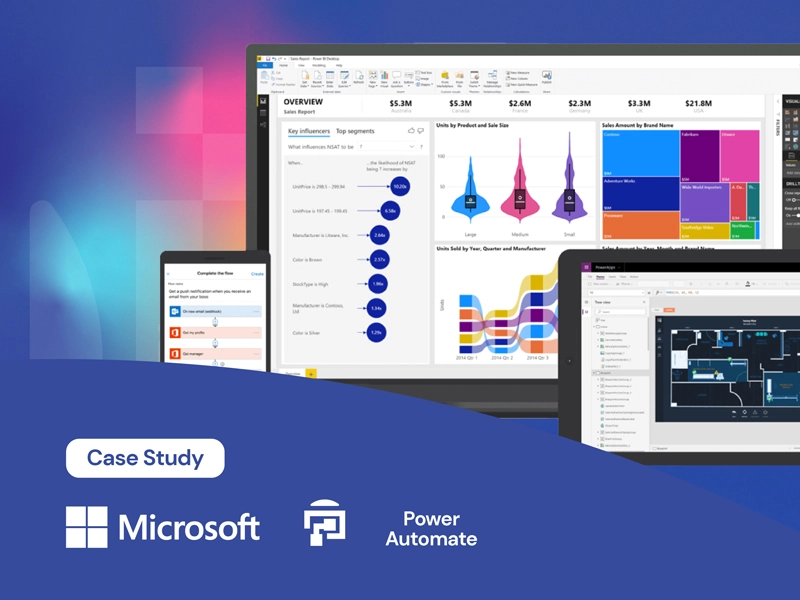
Automating business processes and reducing management time with Power Automate features
Discover more
Power Apps: what is it and how it works (2026 guide)
Discover more



Automatizzare può essere difficile.
Ed è ancora più difficile quando la tua realtà è strutturata e ha molti processi che si sono standardizzati nel tempo. Per questo ti promettiamo professionalità e ascolto. Scrivici la tua problematica e parliamone insieme.
Contattaci